From a scanned PDF to clean JSON an AI can trust
Medical reports, invoices, lab sheets. They all arrive as messy PDFs. Here is the pipeline I use to turn them into structured JSON, and why I never send the raw PDF straight to an LLM.
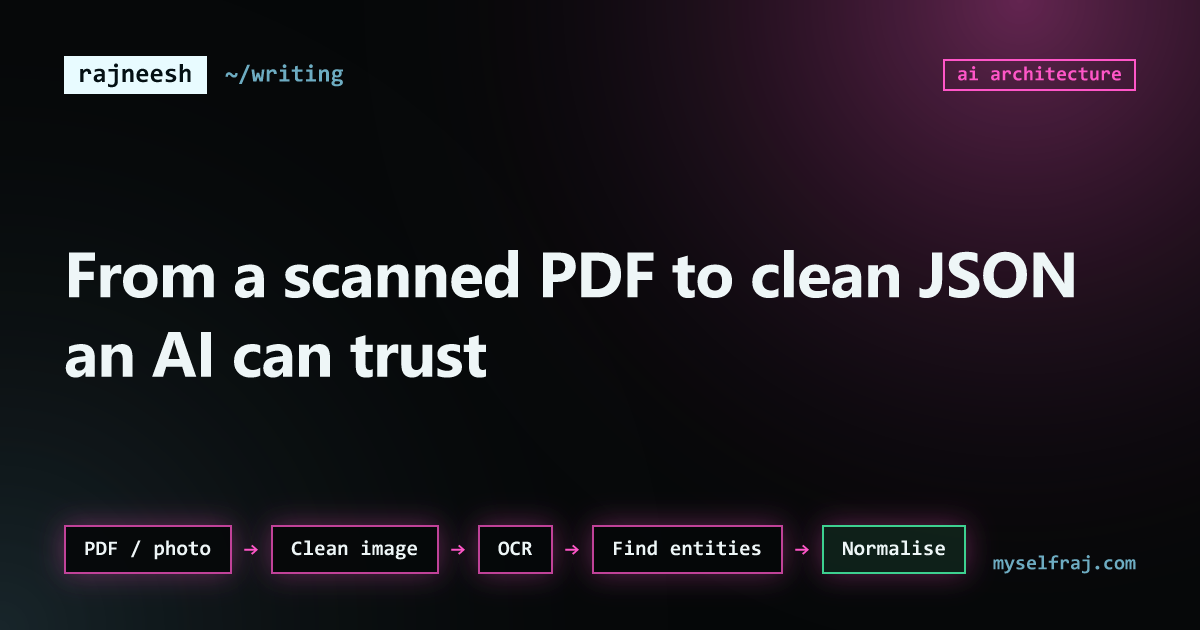
Most useful data in the world is locked inside PDFs. Lab reports, prescriptions, invoices, contracts. Many of them are not even real PDFs. They are photos of paper, saved as PDF.
The lazy way is to throw the whole file at an LLM and ask "what does this say?". It works in a demo. In production it gives you three problems: it is expensive, it is slow, and it sometimes makes up values. For a health report, a made-up value is not a small bug.
So I split the job into steps. Each step does one thing and can be checked.
The pipeline
- PDF / photoraw input
- Clean imagedeskew, contrast
- OCRpixels → text
- Find entitiesdrugs, values, units
- Normaliseone format
- JSON recordvalidated
Step 1: clean the image first
OCR quality depends more on the image than on the OCR engine. Before reading anything, I fix the picture:
- Straighten it if it was scanned at an angle (deskew).
- Turn it to grayscale and push the contrast up.
- Remove noise like shadows and dots.
This step is boring and it gives the biggest jump in accuracy.
Step 2: OCR, page by page
OCR turns pixels into text. If the PDF already has real text inside, I skip OCR and read that text directly. It is faster and has no recognition errors. The one catch is order: text inside a PDF is not always stored in reading order, so I still sort it by position on the page.
For scanned pages I run OCR and keep the position of every word, not just the text. Position matters because reports are tables. "Hemoglobin" and "13.2" are only connected because they are on the same line.
Step 3: find the things that matter
Now we have text, but text is not data yet. The next step finds the important pieces, called entities:
- Test names, like hemoglobin or HbA1c
- Numbers and their units, like 13.2 g/dL
- Normal ranges, like 12.0 to 15.5
- Drug names and doses in prescriptions
This is where a model is useful. It is very good at understanding that "Hb", "Haemoglobin" and "HGB" mean the same test. But I give it a narrow job: "extract these fields from this text". Not "understand this report".
Step 4: normalise everything
Different labs write the same thing in different ways. One writes mg/dL, another mmol/L. One writes dates as 03/04, which can mean March or April.
Normalising means converting everything to one standard format. Same names, same units, same date format. Without this step you cannot compare two reports, and comparing reports over time is the whole point.
Step 5: validate before you save
The model's output is checked by plain code before anything is saved:
type LabValue = {
  test: string;        // normalised name, e.g. "hemoglobin"
  value: number;
  unit: string;        // normalised unit, e.g. "g/dL"
  range?: [number, number];
  page: number;        // where it was found, for checking later
};

function isSane(v: LabValue): boolean {
  if (!Number.isFinite(v.value)) return false;
  if (v.range && v.range[0] > v.range[1]) return false;
  // a value 50x outside its range is almost always an OCR error
  if (v.range && v.value > v.range[1] * 50) return false;
  return true;
}
Anything that fails goes to a "needs review" list instead of the database. I also store the page number, so a person can always see exactly where a value came from.
Why not just send the PDF to the model?
What I learned
- Fix the image before blaming the OCR.
- Keep word positions. Tables only make sense with layout.
- Give the model a small, clear extraction job.
- Never trust a number you have not validated.
- Always keep a link back to the source page.
Clean data is the base for everything after it. If this layer is wrong, the smartest model in the world will still give you wrong answers, just with more confidence.